
Deleted Photos But Still No Space? Empty Recently Deleted on iPhone
Deleted photos keep using storage for 30 days in the Recently Deleted album. Here's how to empty it and free up space on your iPhone immediately.
Or follow the steps below manually
You cleaned up your camera roll, but the storage bar didn’t budge. Don’t worry: your photos really are deleted. iOS just holds them for 30 days before letting the space go.
Why your storage isn’t free yet
When you delete photos on an iPhone, whether with Swipe2delete, another app, or the Photos app itself, iOS doesn’t remove them immediately. It moves them to the Recently Deleted album, where they sit for 30 days as a safety net in case you change your mind. Until that album is emptied, the photos keep occupying storage.
The fix: empty the Recently Deleted album manually and the space is reclaimed right away.
Step-by-step: empty Recently Deleted
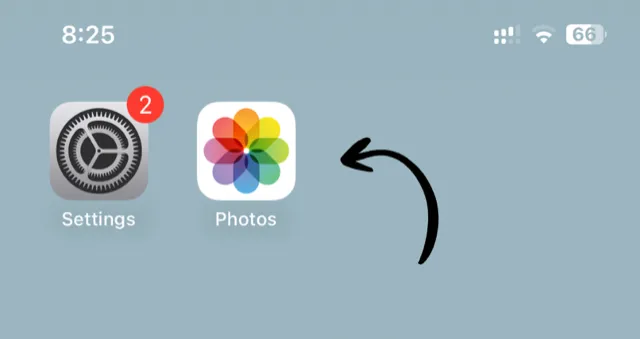
1. Open the Photos app
Tap the Photos icon on your home screen.
2. Scroll to Recently Deleted
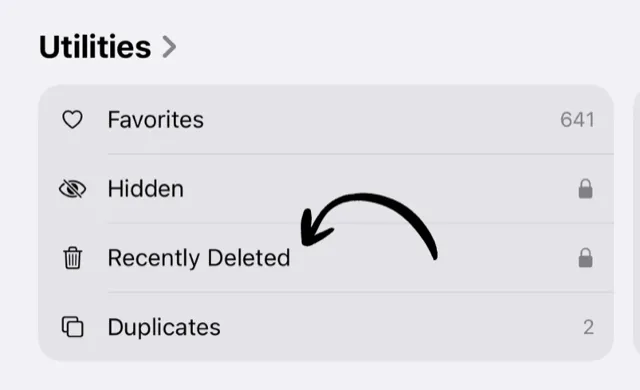
Scroll down to the Utilities section and tap Recently Deleted. (On older iOS versions it’s under Albums.)
3. Empty the album
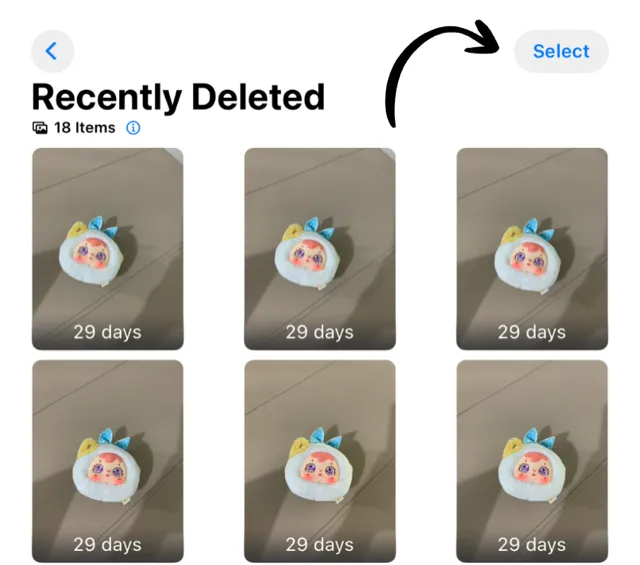
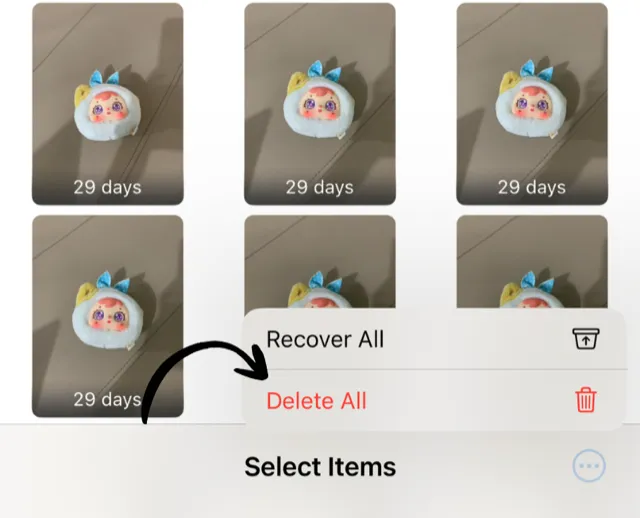
Tap Select in the top right, then tap Delete All in the bottom left.
4. Confirm
Tap Delete From All Devices to permanently remove them.
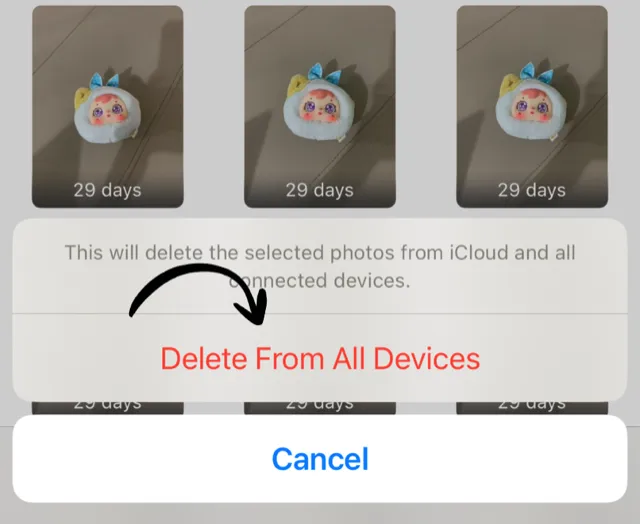
✅ Done! The storage is freed up immediately, on your iPhone and in iCloud if you use iCloud Photos.
How much space will I get back?
The Recently Deleted album shows its total size at the top. After a proper camera-roll cleanup it’s often substantial:
- Light cleanup: 500MB - 2GB
- Regular cleanup: 2GB - 5GB
- Big cleanup: 5GB - 10GB+
Good to know
⚠️ Emptying Recently Deleted cannot be undone. Have a quick scroll through before you delete all. It’s your last chance to rescue a photo.
💡 You don’t have to do this at all. If you’re not in a hurry, iOS empties the album automatically, 30 days after each photo was deleted. Emptying it manually just gets you the space now.
💡 Make it a habit. After each cleanup session, empty Recently Deleted once. That’s when the storage actually comes back.
Keep Your Camera Roll Clean
Swipe left to delete, right to keep. Clean up your photos one month at a time with Swipe2delete.
Download Swipe2delete