
How to Delete Duplicate Photos on iPhone (Built-in Way + Better Ways)
iOS finds exact duplicate photos for you. Here's where that feature lives, what it misses, and how to deal with the near-duplicates it can't see.
Or follow the steps below manually
Duplicate photos creep in from every direction: burst shots, re-saved images, WhatsApp re-downloads, “let me take three just in case.” Here’s how to clear them out, starting with the tool you already have.
Option 1: the built-in Duplicates album (iOS 16+)
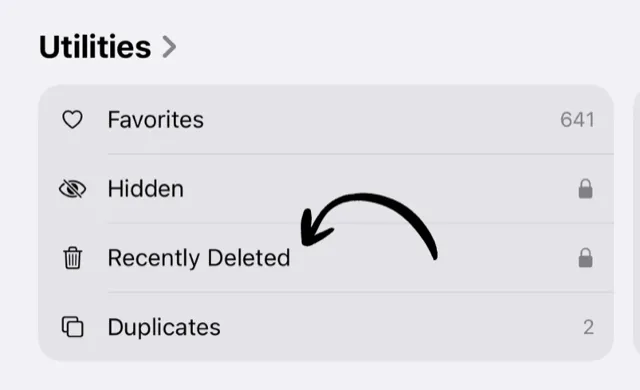
Open Photos, scroll to the Utilities section, and tap Duplicates.
iOS shows detected duplicates side by side. Tap Merge on a pair (or Select → Merge All) and iOS keeps the highest-quality version, moving the rest to Recently Deleted.
What it’s good at: exact copies and very close re-saves.
What it misses: near-duplicates, like the five almost-identical shots of the same sunset, burst photos, or similar frames taken seconds apart. To iOS those are all “different photos,” and for most people they’re the real clutter.
Option 2: a dedicated duplicate finder
For proper similar-photo detection, you need an app that groups photos taken in rapid succession and lets you pick the keeper. Full disclosure: we make one. Dedupify groups similar shots and duplicates, shows them together, and batch-deletes the ones you don’t pick. It’s the tool we built before Swipe2delete, for exactly this problem.
Option 3: the swipe cleanup (gets the rest)
Duplicates are only part of a messy camera roll. The blurry shots, screenshots, and photos-of-receipts aren’t duplicates of anything, so no duplicate finder will flag them. That’s the month-by-month swipe cleanup: one decision per photo, keep or delete, with a review before anything goes.
Whichever you use: reclaim the space
Merged and deleted photos land in the Recently Deleted album and keep using storage for up to 30 days. Empty it to get the space back immediately.
Related Guides
Keep Your Camera Roll Clean
Swipe left to delete, right to keep. Clean up your photos one month at a time with Swipe2delete.
Download Swipe2delete