
How to Clean Up Your Camera Roll Fast (Without Losing Photos You Love)
A camera roll with 20,000 photos is not a one-afternoon job. Here's the month-by-month method that actually gets it done, and the app that makes it fun.
Everyone’s camera roll is a mess: thousands of screenshots, blurry shots, near-identical bursts, and photos of parking spots from 2019. The reason it never gets cleaned isn’t laziness. It’s that “clean up 20,000 photos” is a terrible task, and the Photos app makes it worse: tap Select, tap each photo, hope you don’t fat-finger one you love.
Here’s the method that works.
The month-by-month method
Don’t clean your camera roll. Clean one month of it, whenever you have a spare five minutes. A month is small enough to finish in one sitting, and finishing is what keeps you going.
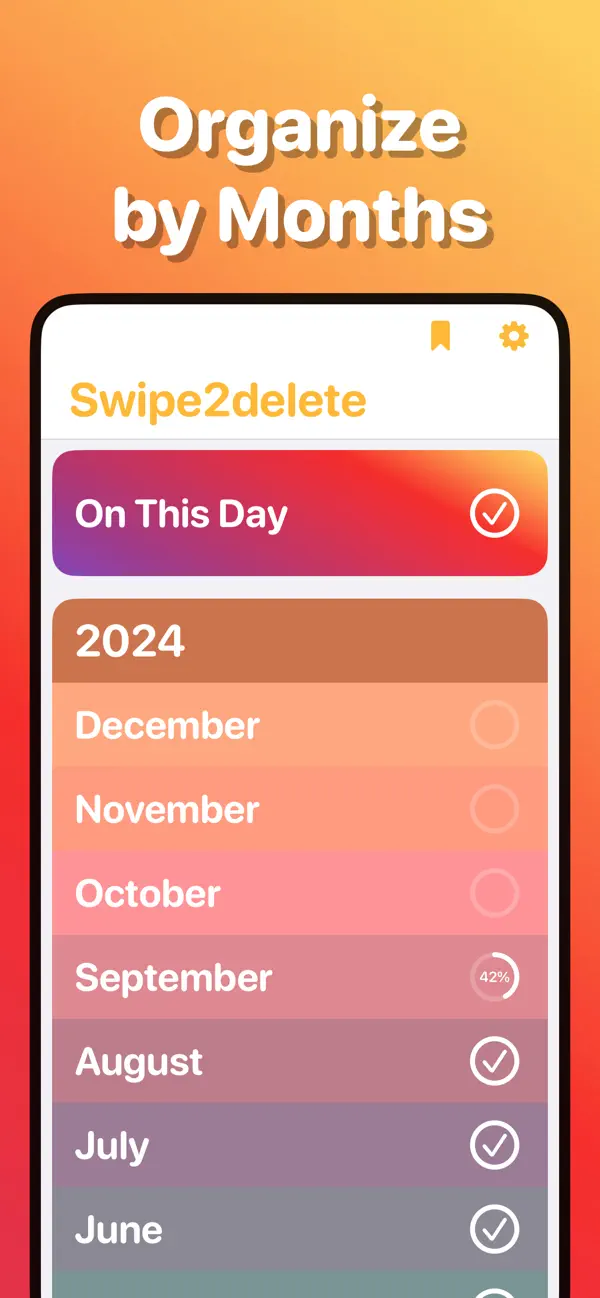
That’s the entire idea behind Swipe2delete. It slices your library into months and turns each photo into a single decision:
1. Pick a month
Open Swipe2delete and choose any month. Start with the current one, or knock out an old year first. Your progress per month is saved, so you can stop anytime.
2. Swipe through it
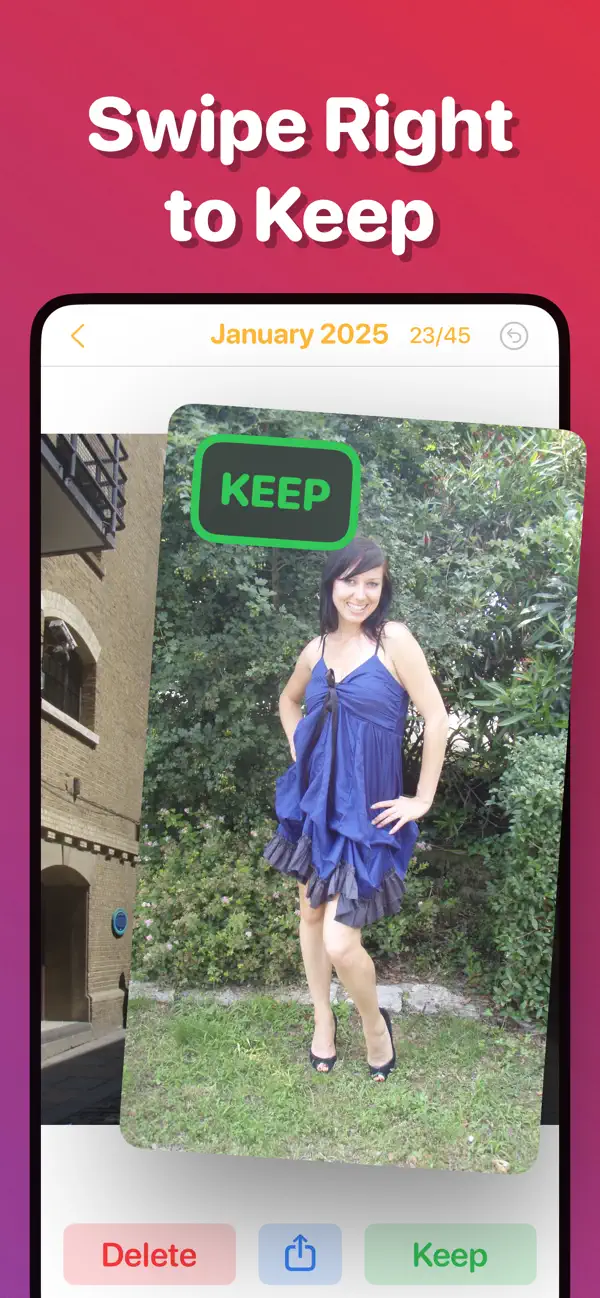
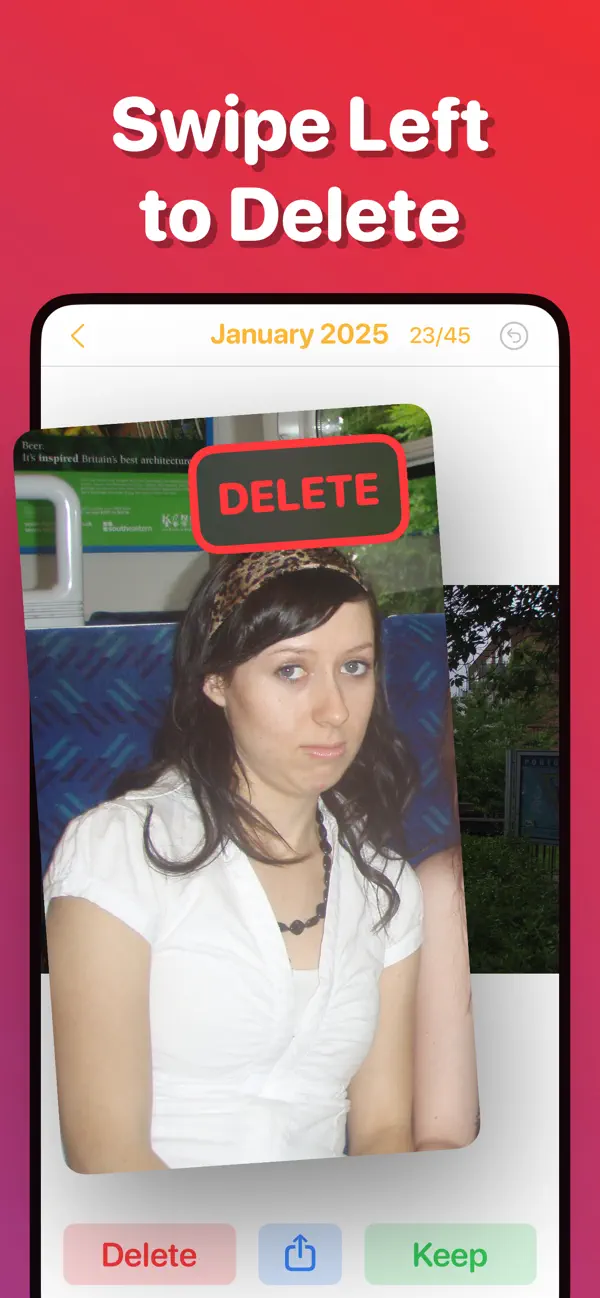
Swipe right to keep. Swipe left to delete. One decision per photo, no checkboxes. Change your mind? Tap undo.
3. Review and confirm
Before anything is deleted you get a final look at the whole batch: the safety net the Photos app never gives you.

4. Reclaim the space
Deleted photos sit in iOS’s Recently Deleted album for 30 days before the storage is actually freed. If you want the space now, empty Recently Deleted. It takes a minute.
Tips for a big backlog
- Start with screenshots-heavy months. Post-holiday and post-trip months have the most deadweight; cleaning them feels great immediately.
- Use “On This Day.” Swipe2delete resurfaces photos from this date in past years, a painless way to chip at old clutter daily.
- Don’t aim for perfect. Keep-or-delete in under a second per photo. If you hesitate, keep it. It’ll come around again next cleanup.
- Make it a routine. One month per week, and even a huge library is pristine in a season, and it stays that way.
Do you even need an app?
You can absolutely clean up in the Photos app: open a month in the grid, tap Select, tap photos, delete. It works. It’s just slow, error-prone, and joyless, which is why most cleanups die there. A swipe-based cleaner exists for one reason: it makes the decisions fast enough that you actually finish.
Related Guides
Keep Your Camera Roll Clean
Swipe left to delete, right to keep. Clean up your photos one month at a time with Swipe2delete.
Download Swipe2delete